AI monitoring with MCP

Let your AI assistant
run your website monitoring

Connect an assistant to WebSignal over MCP and ask it to add a monitor, pause one or change where alerts go, in the same conversation where you noticed the gap.

Start 14-Day Free Trial Read access on Growth, read and write on Pro
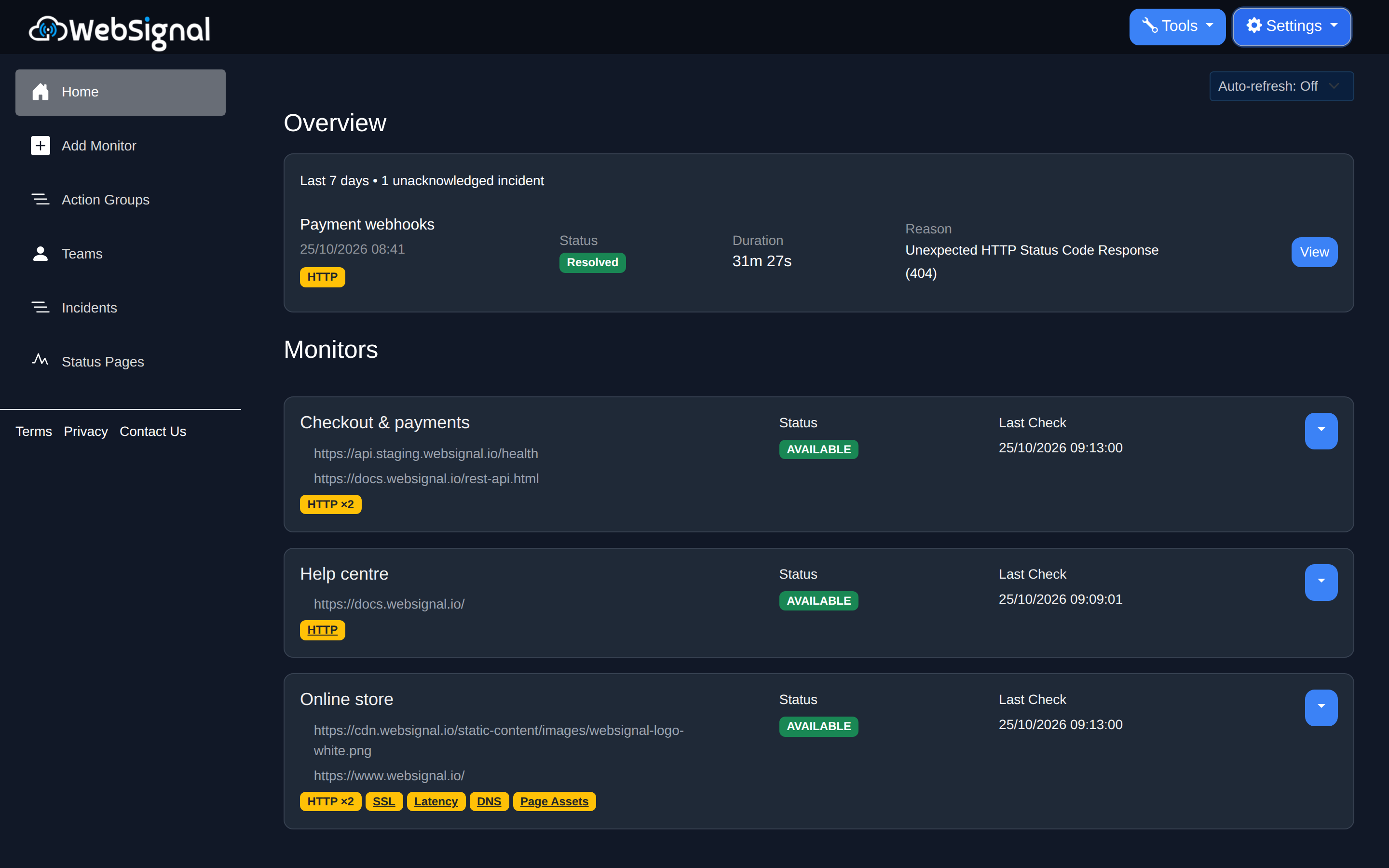
WebSignal dashboard with monitors grouped into services, each showing its status and the checks it runs

An assistant that acts, with you in charge

It does the work

An assistant can add a monitor, change one, pause and resume its checks, remove one, and add email or webhook alert destinations.

Deleting asks you first

The first attempt to delete removes nothing. WebSignal says what it would cost, such as an incident that is open right now, and waits for your answer.

Only what you can do

Every action is checked against your role in that workspace. A Viewer changes nothing, and deleting a workspace stays in the app.

Where your alerts go, managed in conversation

  • ✓
    List and change destinations

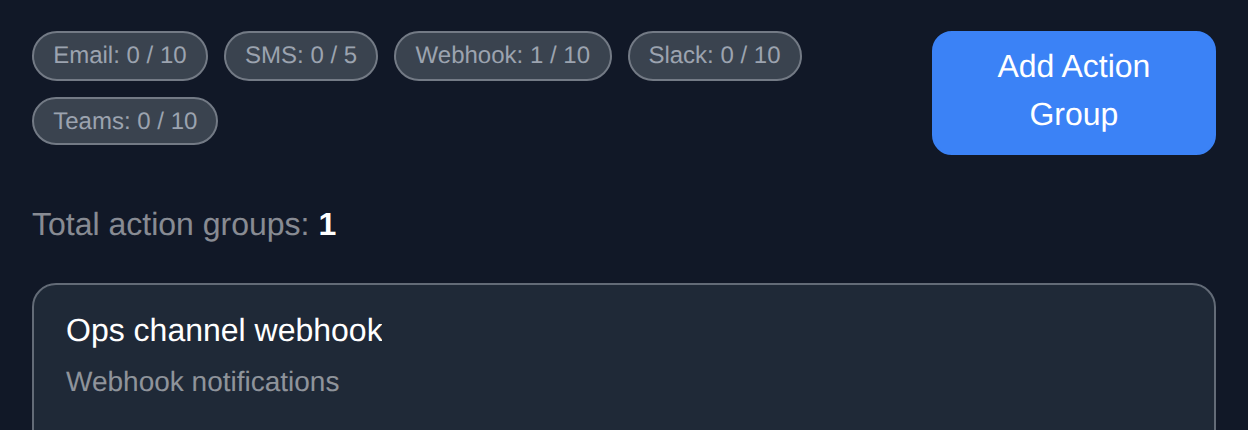
    Ask which destinations a workspace has, add an email address or webhook, and attach one to a monitor.

  • ✓
    Some stay in the app

    Text message, Slack and Teams destinations need a code or channel address only you can supply, so you set those up yourself.

  • ✓
    A guide to connecting

    The MCP guide covers connecting an assistant and what each tool does.

Start 14-Day Free Trial
WebSignal alert destinations for a workspace, with limits per channel and a webhook destination

Which plans include AI access

Compare every plan

Questions

Which assistants work with WebSignal?
Any assistant that can connect to a remote MCP server. The MCP guide walks through connecting one.
Can an assistant delete my data by mistake?
Deleting takes two steps and the first removes nothing, and pausing keeps a monitor’s history. Deleting a workspace is not available to an assistant at all.
Does it see other workspaces?
No. Nothing an assistant does reaches a workspace you are not a member of, and every action is checked against your role there.

Give your assistant something useful to do

Start 14-Day Free Trial

Read access on Growth, read and write on Pro. Both start with a 14-day free trial.